
PublishedFree with ProWear OS
Find My Car Wear OS
4.8 · 25 ratings4.8 · 25 ratings
Simple app for locating your car ubication with customizable Wear OS tiles
About this app
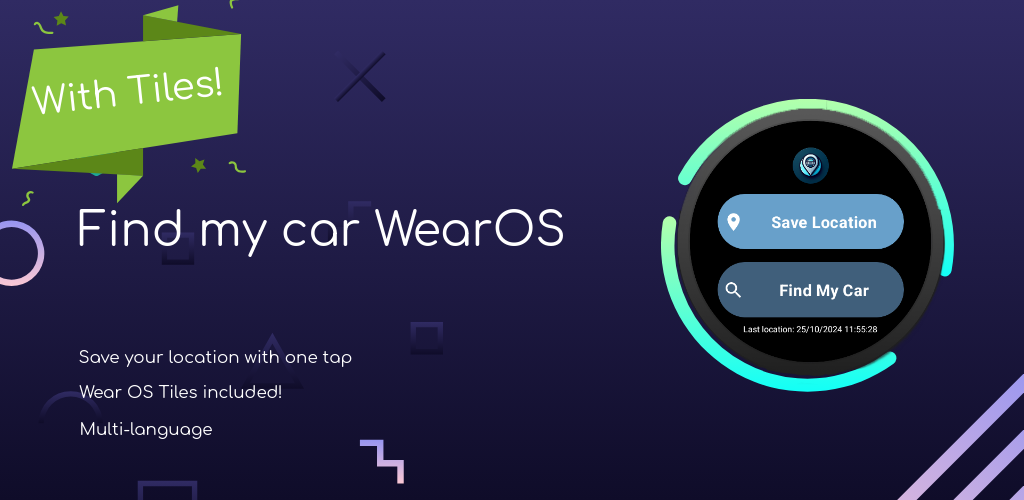
Easily find your parked car, hotel, campsite, or any saved location with this fast, lightweight, and fully standalone app built exclusively for Wear OS.
Find My Car for Wear OS lets you save, manage, and retrieve locations directly from your smartwatch—no phone required.
Whether you've parked in a busy city, are exploring a hiking trail, or simply want to remember where you left your car, you can save any place with a single tap and navigate back whenever you need it.
FREE FEATURES
• Save & Retrieve Locations — Save your current location instantly and find it again anytime.
• Google Maps Navigation — Open any saved location directly in Google Maps on your Wear OS watch.
• Tile & Complication Support — Quick access from your watch face or Wear OS Tile.
• History & Favorites — Save up to 5 favorite locations and view your recent history.
PRO FEATURES (One-Time Purchase)
• Multiple Profiles — Create up to 5 profiles for your car, hotel, campsite, events, and more.
• Advanced Wear OS Tile — Switch instantly between up to 5 saved profiles directly from your Tile.
• Text & Voice Notes — Save parking details, floor numbers, or reminders for every location.
• Parking Timer — Set reminders to avoid expired parking sessions.
• Distance to Location — Instantly see how far you are from any saved place.
• QR Code Sharing — Share your saved location with anyone using a QR code.
• Expanded Storage — Save up to 50 favorite locations and more history entries.
• Custom Color Themes — Personalize the app to match your style.
Never lose your parked car or an important place again. Designed from the ground up for Wear OS, Find My Car keeps your favorite locations just a tap away.
Google Maps for Wear OS is required for navigation.
Features
Save & retrieve locations
Save your current location instantly and find it whenever you need it.
Google Maps navigation
Open any saved location directly in Google Maps on your watch.
Tiles & complications
Quick access from a Wear OS Tile or watch face complication.
Pro features
Multiple profiles, notes, parking timer, distance, QR sharing, and themes.
Screenshots
Video
FAQ
Do I need my phone?
No. Find My Car is a fully standalone Wear OS app.
What does navigation require?
Google Maps for Wear OS is required for navigation.
Is there a Pro purchase?
Yes. The app is free with Pro features via a one-time purchase.
Legal
Legal documents for this app, hosted on afroda.dev.