
PublishedFreeProductivityChrome

Quick Notes Pro
5.0 · 5 ratings5.0 · 5 ratings
Quick browser notes with rich text, images, video, and code highlighting.
About this extension
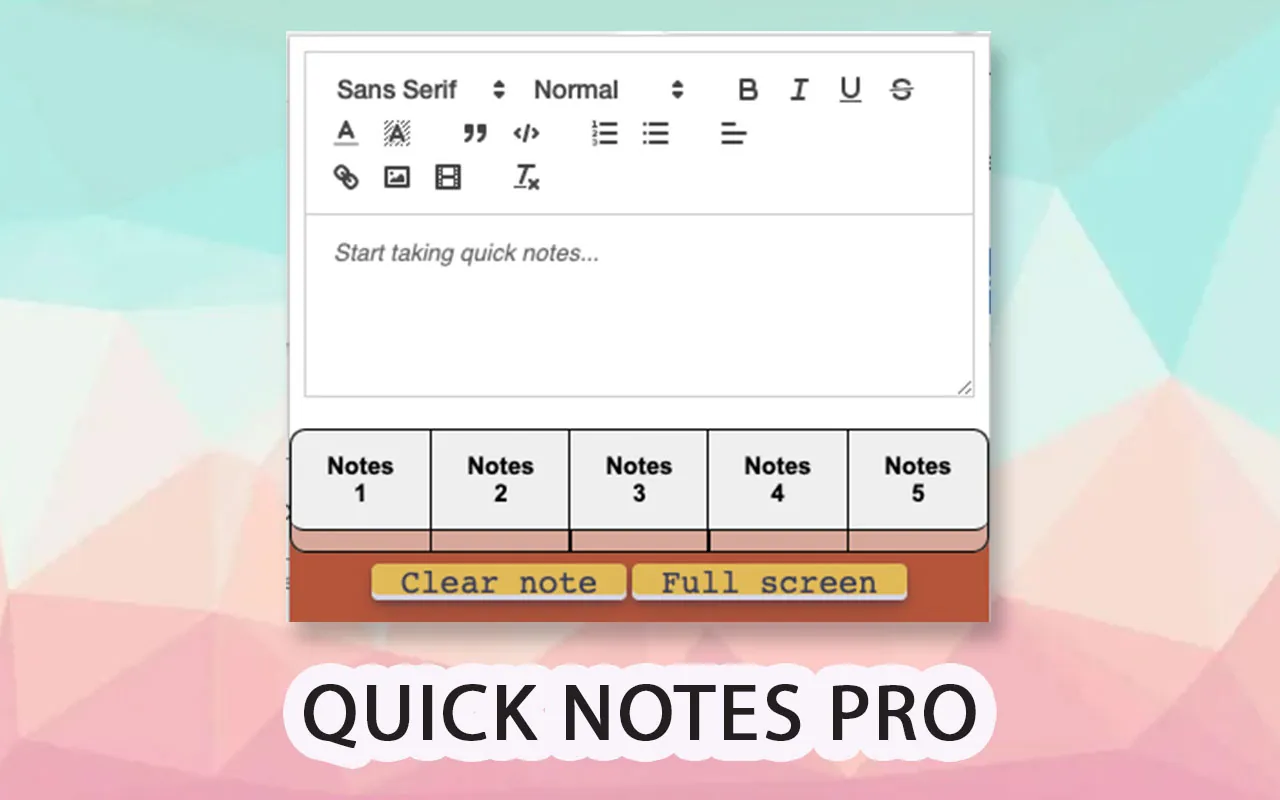
Quick Notes Pro lets you take notes instantly from Chrome.
Copy and paste with formatting, save images and videos, make lists, and store
code blocks with highlighting. All data stays on your computer — not in the cloud.
Includes multi-tab notes, themes, autosave, a JSON formatter, and a resizable window.
Features
Rich text
Copy and paste while keeping the original formatting.
Local privacy
Your notes stay on your computer, not in the cloud.
Code and JSON
Highlight code and format JSON with one click.
Multi-note
Up to 5 notes at once, with autosave and themes.
Screenshots
Video
FAQ
Is it free?
Yes. You can install Quick Notes Pro from the Chrome Web Store.
Where are my notes stored?
On your computer. They are not uploaded to the cloud.
Can I save images and code?
Yes. It supports images, videos, lists, and highlighted code blocks.
Install it in Chrome
Available on the Chrome Web Store. One click and you’re set.